Review Comments (0) Screenshots (8) Questions & Answers (0) Votes (0) Awards (2) Wiki  
4.2.0.5
savensync.com
Shareware
$59.00  Purchase
6 people
Download Save-N-Sync

6.19 MBDownloaded 40 times


Review

Save-N-Sync is a reliable and efficient software application that performs incremental backups in an easy and accurate way. To make this tool attractive to all potential users, Save-N-Sync offers both a wizard-like interface with easy-to-follow step-by-step instructions and a standard GUI with more advanced options.

The aim of this tool is not only to provide you with an exact copy of your most valuable files and folders, but also to keep this backup copy fully and permanently synchronized with the original files and folders. Thus, it allows you to schedule the backup process incrementally in a way that is more convenient to you and due the system usage. The program can be set to start up as soon as Windows loads or immediately after you log on – it will compare the backup files and folders with their originals, and will perform all the changes necessary to keep both items accurately synchronized.

Save-N-Sync makes it easy for any user to fine-tune existing projects and create new ones. Both the wizard and the GUI modes offer you extensive information about the changes performed and the progress of the backup process, while keeping your interference to a minimum.
  • Wizard and Advanced Modes available to cover all types of users.
  • Fully configurable back-up process.
  • None.

Reviewer rating:

Reviewed: 3 months ago

What's new in version 4.2

Version 4.2 of the Save-N-Sync product is now vailable
With this new version, the product has been extended to support Mac OS X and Linux platforms as well as to leverage online backup through our Online Storage service.

Version 4.2.0.5 - Released December 14, 2010
Description of Changes
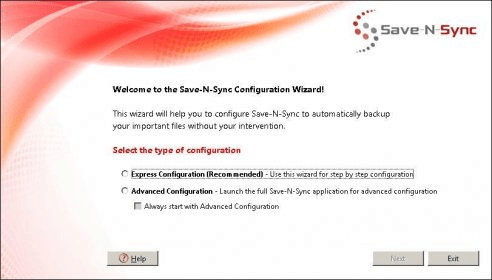
• Availability of the Save-N-Sync Configuration Wizard for easy and quick configuration on Windows platforms.
• General availability of support for the Save-N-Sync Online Storage Service as a source or target, as well as the integration of the storage service into the Save-N-Sync portal (www.savensync.com).
• Introduction of a brand new synchronization engine. Benefits of this new engine include:
-Better all-around performance
-Better support for folders and files on Windows 7 and Mac OS X
-Increased reliability with default support for file locking and temp files

• Improved reliability of real-time detection when handling the movement of files and folders within a source folder.
• Addressed an issue where copying a job would result in either the new job or the original job not running when the Project is started.
• Addressed an issue where Linux users had to install a trial or registration license every time they started Save-N-Sync.
• Other miscellaneous bug fixes.
Report a wrong version Report a wrong program title Suggest a correction

Screenshots

Initial Window in Wizard Mode Initial Window in Wizard... Backing Up Your Folder Backing Up Your Folder Operational Messages (Log File) Operational Messages (Log... Initial Window in Advanced Mode Initial Window in Advanced...
All 8 screenshots

Latest comments


There are no comments, be the first one!
Add new comment

E-mail Address:

Password:

Register now »

Forgot password?

Sign in with:
Facebook Account
Download Software Informer Client
Copyright © 2012, Informer Technologies, Inc. About| Terms & Privacy| FAQ| Feedback & Support| For Developers